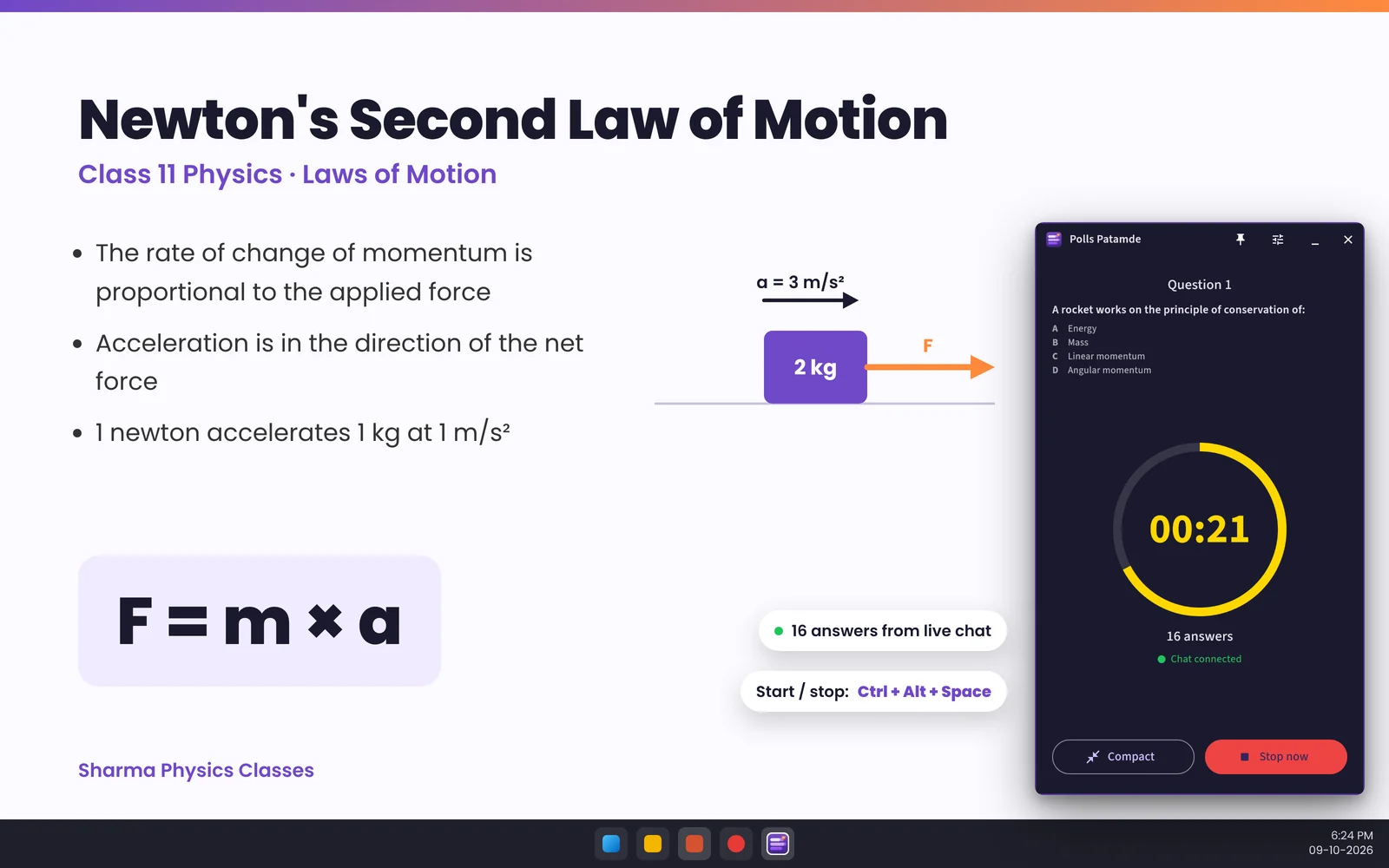
Teaching from a laptop means juggling PowerPoint, OBS or YouTube Studio, the chat and your notes. Picking up the phone to start a quiz breaks the flow. The Polls Patamde Windows app fixes that: the quiz controls live in a small window that stays on top of everything, and you run rounds with keyboard shortcuts without leaving your slides.
What it does
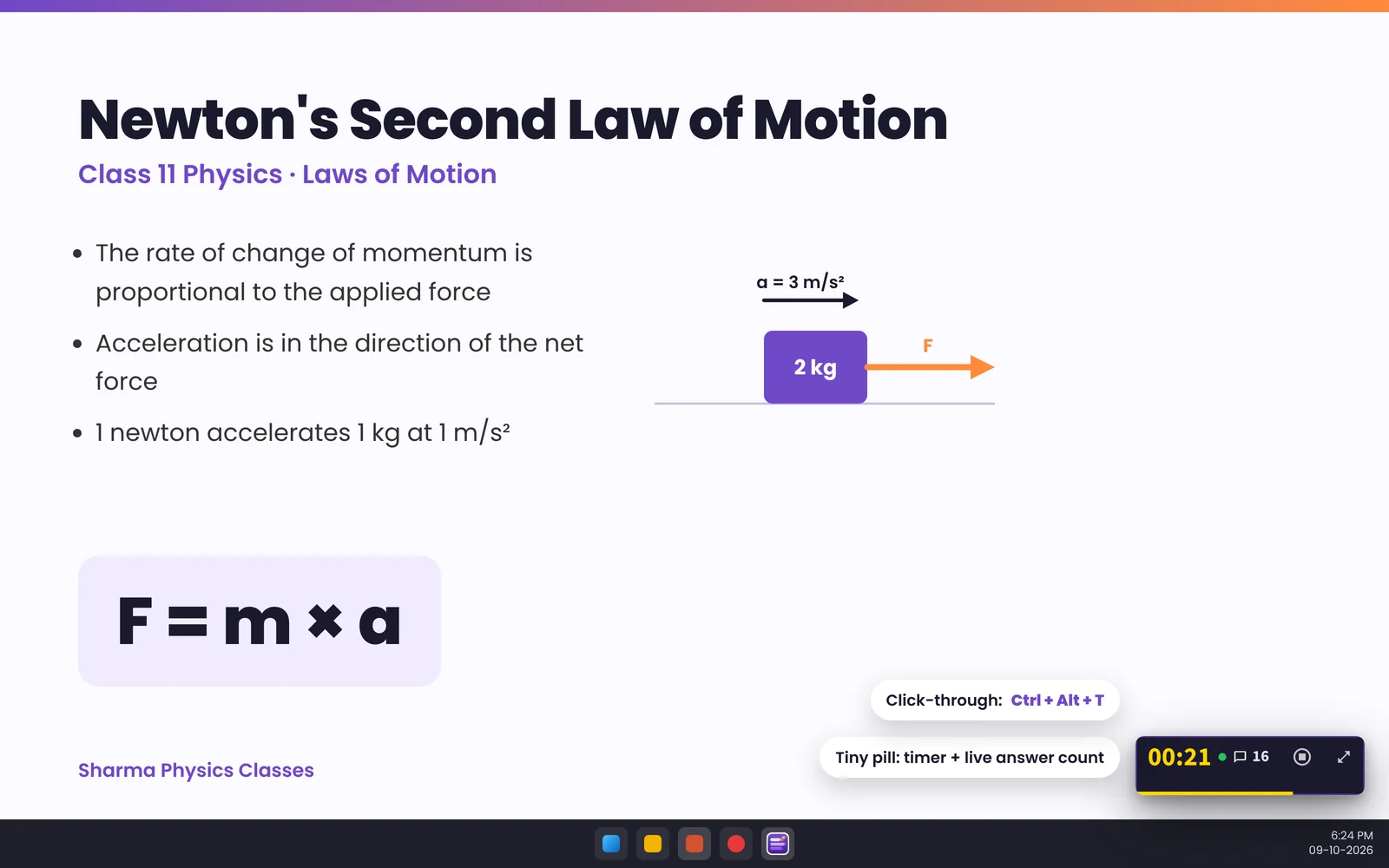
- Always on top, never in the way. Three sizes: a tiny pill with the timer and live answer count, the full panel, and a large reveal for announcing winners. It snaps to the nearest screen corner.
- Global hotkeys. Ctrl+Alt+Space starts, stops and moves to the next question; Ctrl+Alt+1–4 marks the correct answer. They work while PowerPoint is in front.
- Click-through. Ctrl+Alt+T lets mouse clicks pass through the window to whatever is underneath.
- Reads your live chat. Students type A/B/C/D; answers are ranked by the time YouTube received them, on our servers, so a slow PC connection doesn't change the result.
- Practice mode to rehearse without going live.
- Starts with Windows and sits in the system tray if you want.
Built to keep your channel safe
Most desktop tools ask you to sign in to Google on the PC. Shared staff-room computers, coaching-centre PCs and borrowed laptops make that risky. Polls Patamde works differently:
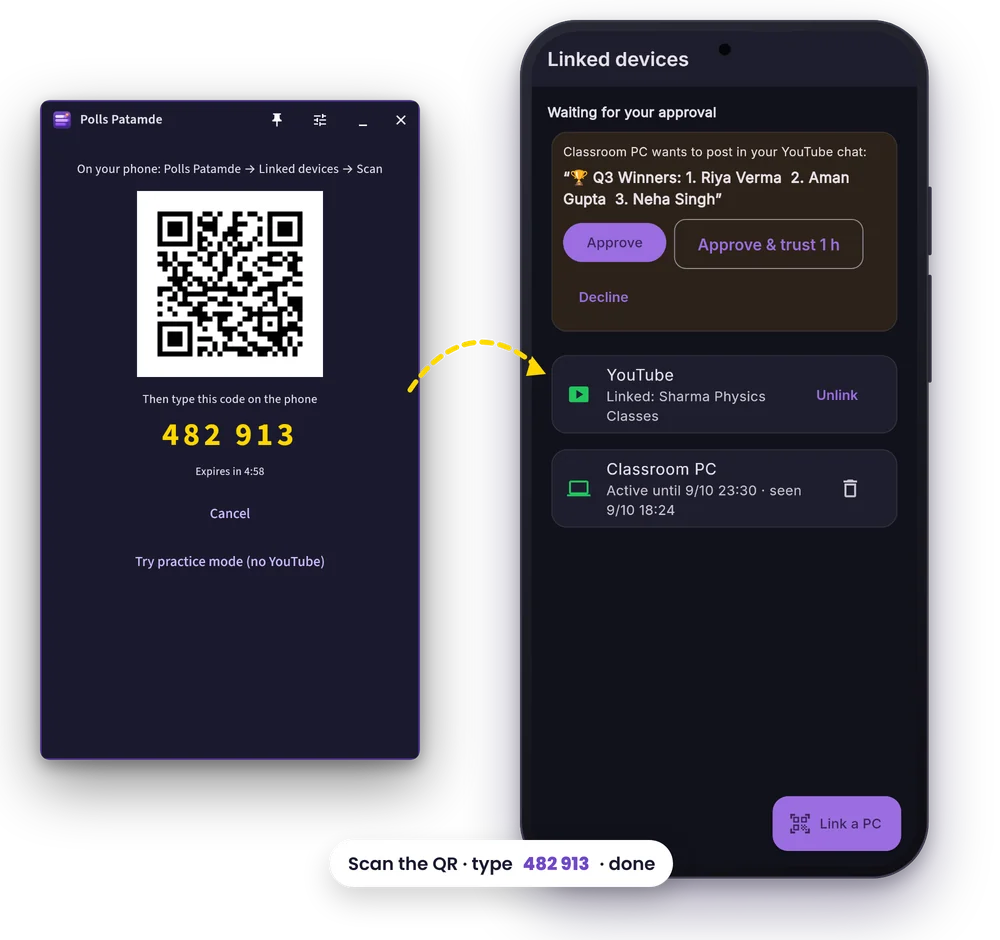
- No Google login on the PC. You pair the PC with your phone: scan a QR code in the Android app and type a 6-digit code (valid for 5 minutes).
- Short sessions. A paired PC stays signed in for up to 8 hours, then has to be paired again. Remove it any time from Linked devices on your phone.
- Your phone approves every chat post. When the PC wants to post "Start!" or the winners, your phone asks for your fingerprint or screen lock and posts exactly that text. Tap Approve & trust 1 h once to stop being asked for the rest of the class.
- YouTube access stays on our server, encrypted, after you link it once on your phone. The PC never holds a YouTube token.
Getting started in five minutes
- Download the Windows app (Windows 10 version 1809 or newer).
- On your Android phone open Profile → Linked devices → Link a PC and scan the QR code on the PC.
- On the same screen tap Link on the YouTube card (once).
- On the PC, choose your live stream.
- Press Ctrl+Alt+Space to start your first Fastest Finger First round.
The How to Use guide has screenshots of every step.
"Windows protected your PC"? New apps show this SmartScreen message until they build a download reputation. If you downloaded the installer from patamde.live, click More info → Run anyway.
Frequently asked questions
Does the Windows app need my Google password?
No. You pair the PC with the Polls Patamde Android app by QR code. Your Google and YouTube login stays on the phone.
Can the PC post in my chat without me?
No. Each chat post is approved on your phone with your fingerprint or screen lock. You can choose Approve & trust 1 h to approve the rest of a class at once.
Will the window cover my slides?
It is small and you can make it smaller: a pill showing just the timer and answer count. Turn on click-through with Ctrl+Alt+T and clicks pass straight through to your slides.
What does it cost?
The Windows app is free to download and works with any active Polls Patamde trial or plan.