Android app
The main app. Sign in with Google, connect your YouTube channel and run everything from your phone.
- Native YouTube Live polls with timers
- Fastest Finger First quizzes with leaderboard
- MCQ Library: AI turns your PDF into questions
- Pair and approve your Windows PC

Free 7-day trial included. Updates arrive automatically through Google Play.
Windows app
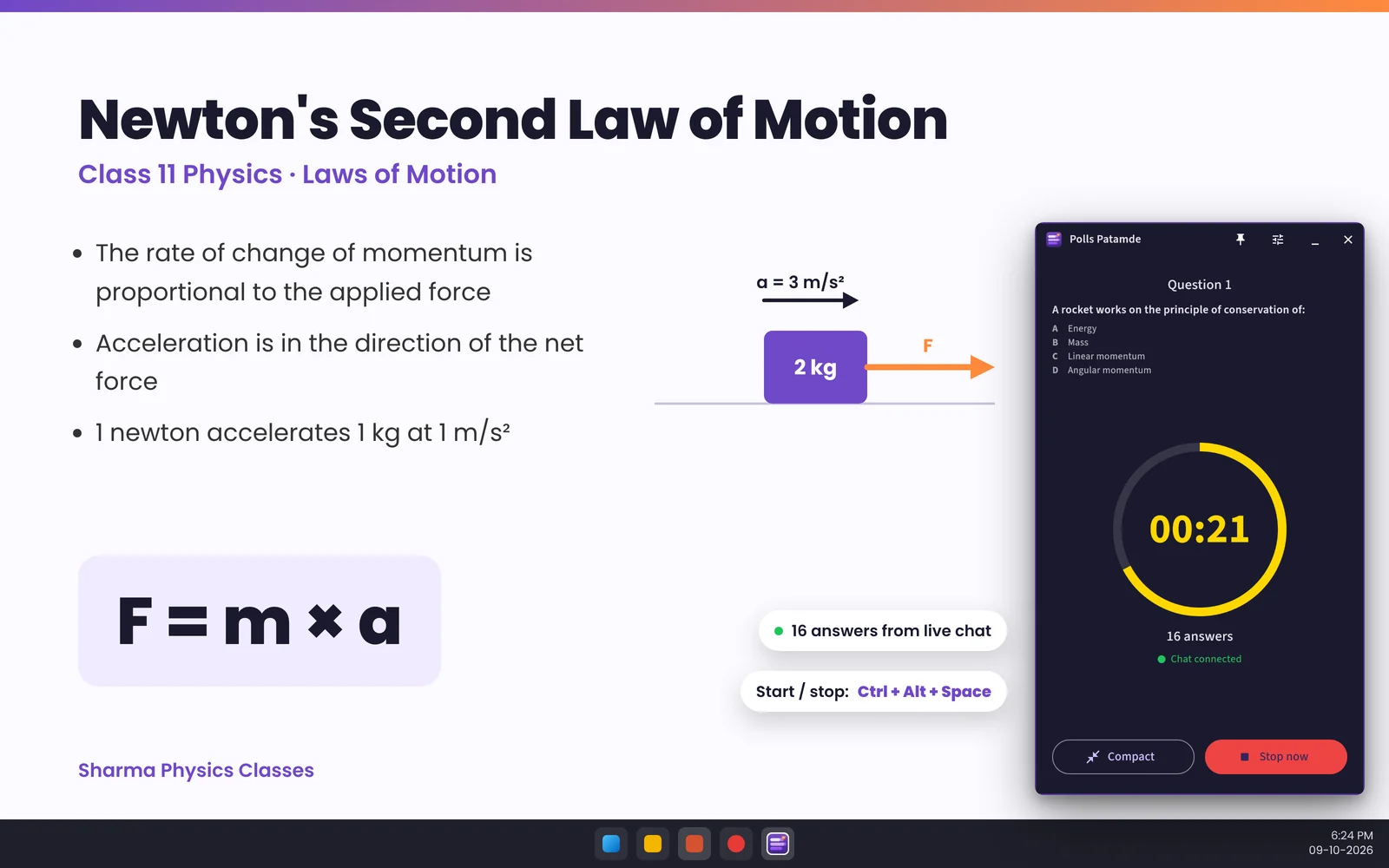
A small always-on-top window for running Fastest Finger First rounds while you teach from your PC.
- Floating window: tiny pill, full panel or winner reveal
- Keyboard shortcuts to start, stop and pick the answer
- No Google login on the PC: pair it with your phone
- Every chat post approved on your phone
Windows 10 (1809) or newer, 64-bit. Installer: PollsPatamde-Setup.exe
Installing the Windows app
- Click Download for Windows and open
PollsPatamde-Setup.exe. - If Windows shows "Windows protected your PC", click More info, then Run anyway. This appears for new apps until they build a download reputation; always download from patamde.live.
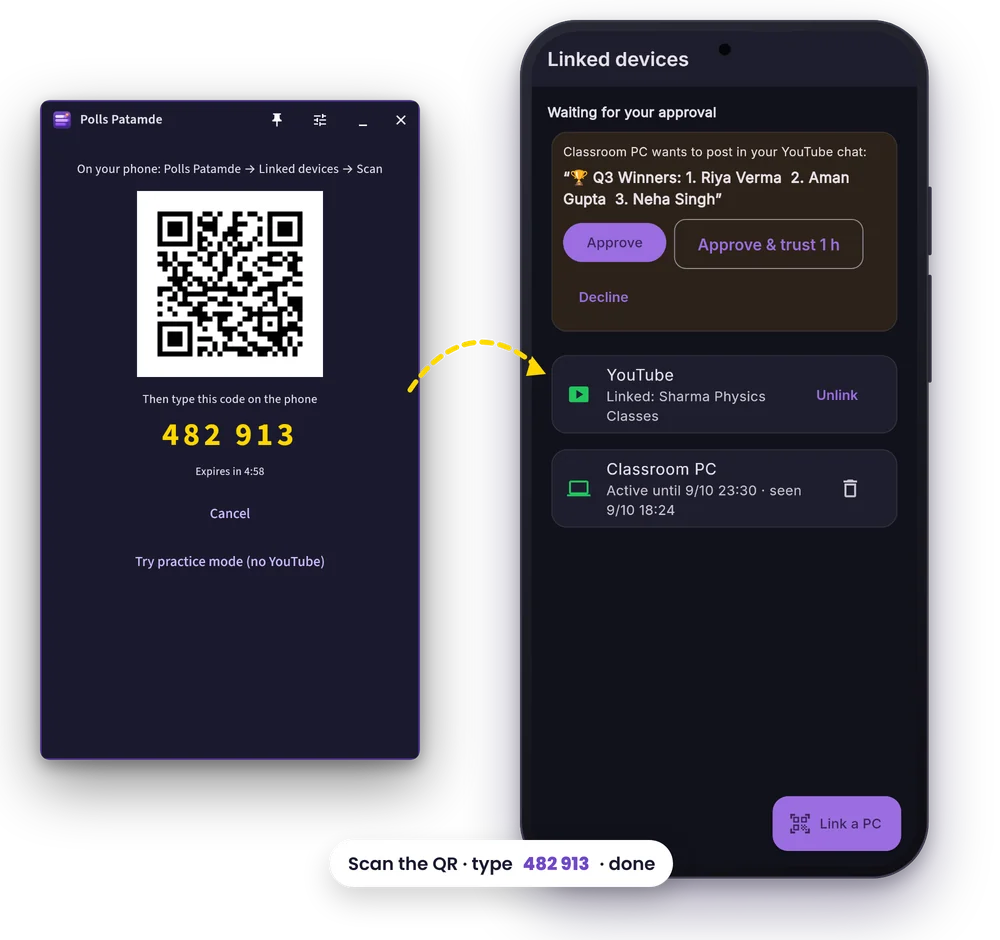
- Finish the installer. Polls Patamde opens and shows a QR code and a 6-digit code.
- On your phone open Profile → Linked devices → Link a PC, scan the QR code and type the code. Codes expire after 5 minutes; the PC shows a fresh one if needed.
The full walkthrough is in the How to Use guide.
Why pair instead of signing in? Your Google and YouTube login stays on your phone. The PC only gets a short-lived, signed session (up to 8 hours), and it cannot post anything to your live chat until you approve it on your phone with your fingerprint or screen lock.
Free AI slides for your class
Need slides for the next lecture? patamde.net is our automated PPT creation tool, free forever. Type your topic or chapter and get a presentation ready to teach.
Frequently asked questions
Is the Windows app free?
Yes. The Windows app is a free download. It works with your Polls Patamde account, so you need an active free trial or paid plan, which you manage in the Android app.
Do I need the Android app to use the Windows app?
Yes. The Windows app never asks for your Google password. You pair it with the Android app by scanning a QR code, and the phone approves anything the PC posts to your YouTube chat.
Windows says 'Windows protected your PC'. Is it safe?
That SmartScreen message appears for new apps that have not yet built a download reputation. Make sure the file came from patamde.live, then click More info and Run anyway.
Which Windows versions are supported?
Windows 10 version 1809 or newer, and Windows 11, on 64-bit PCs.
Is there an iPhone or Mac version?
Not yet. Polls Patamde is available for Android phones and Windows PCs.